
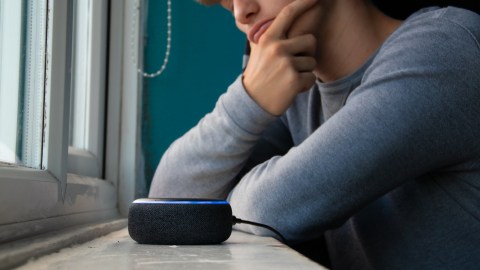
There is something that many Alexa users don’t know, and that is that Every time you talk to that little device you have in the kitchen, living room, or bedroom, Amazon is keeping an audio record of what you said.. It is not science fiction or a conspiracy theory. It’s simply how the system works by default. The good news is that you can access those recordings, review them and even delete them without having to call a technician or enter any hidden menu.
The funny thing is that Alexa does not record continuously all the time. The device is in passive listening modewaiting for you to say the wake word “Alexa,” and only then does it begin processing and sending the audio to Amazon’s servers. However, the actual problem is phantom activationsthose moments when Alexa “thinks” she heard her name and starts recording conversations that were never intended for her. There are user records that, when reviewing his history, they found recordings of private conversations completely unrelated to the assistant.
How to review your voice history from the Alexa app
The quickest way to see what Alexa has saved on you is directly from the app on your phone. The process is simple and takes no more than two minutes.
- Open the Alexa app on your mobile
- Tap the icon “Further” in the right corner
- Select “Configuration”
- Enter to “Alexa Privacy”
- Touch “Review voice history”
There you will see a chronological list of all the interactions that Alexa has recorded, with the possibility of filter by date, by device and by profile. By tapping on any input, you even have the option to hear the actual audio as it was captured by the device’s microphone.
The app also lets you view more than just voice recordings. You can review the history of detected sounds, the activity of connected smart home devices and even the permissions of the abilities you have installed. That is, if you have smart lights synced with Alexa, you can see what time they turned on or off each day.
How to request all your data directly from Amazon
If you want a complete and exhaustive report of everything Amazon has stored on you, there is a more formal but equally powerful way. Amazon allows you to request a copy of all your dataincluding voice recordings, transcripts and usage data from your Echo devices.
Follow these steps from the browser or the Amazon app:
- Log in to your Amazon account
- Go to “My account”
- Select “Manage your data”
- Click “Request your data”
- Choose the category “Alexa and Echo devices”
- Press “Send request”
It may take up to a month for Amazon to prepare and send you the complete file with all this data, but you will receive a confirmation email when you make the request. What you get to receive is quite revealing. The package includes audio recordings, text transcriptions, and a detailed history of everything you asked the device. For many users, seeing that entire file is the first time they really understand how much information they have been sharing without realizing it.
How to stop Alexa from continuing to save your recordings
Once you review what is there, the natural thing is to want to take control. And this is where Alexa gives you some interesting options. Inside the section “Manage my Alexa data” In the privacy settings, you can activate the option to “Delete recordings automatically”. This allows you to choose a retention period, be it three months, eighteen months or not save anything at all, and the system takes care of the rest.
There is also a much more immediate trick. You can directly tell Alexa “Alexa, delete what I just said.” right after giving a command that you prefer not to be saved. It is a voice privacy feature that Amazon implemented and that very few users know about or use. Depending on your system’s own configuration, data retention changes can take up to 36 hours to take effect.
Having a voice assistant at home is extremely convenient, but Convenience and privacy do not always go hand in hand if you do not configure the device consciously. Taking ten minutes to review your history and adjust your preferences can make a big difference in how much private information still lives on Amazon’s servers starting today.
Keep reading:
• Amazon activates Alexa Plus in Top: the update arrives alone and you cannot stop it
• How to connect your devices and control them with Alexa using just your voice
• Complete list of Echo devices compatible with Alexa+


