
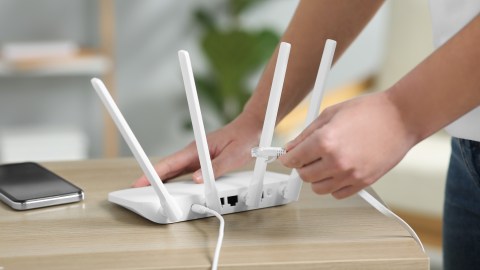
A trick is spreading on social networks that promises to improve your home’s WiFi signal without spending a cent. The technique is so simple that it seems like a joke: just place a coin on top of the router to, supposedly, enjoy a faster and more stable connection. Users claim to have tried it successfully, but experts have a very different opinion.
What science says about steel and WiFi signals
The concept of using metallic materials to disrupt wireless signals does not come out of nowhere. There are real academic experiments that partially support the theorybut with important nuances that viral videos usually ignore.
Researchers of the Dartmouth College They managed to boost the WiFi signal in controlled environments using reflectors made of a thin layer of steel and plastic placed next to the router antennas. WiFi signals operate mainly in the bands 2.4 GHz and 5 GHzand yes, metals can reflect, deflect or even block electromagnetic waves.
The problem is in the details because size matters a lot. For a metal reflector to work well, its dimensions must be relevant in relation to the wavelength of the signal. A quarter or euro coin is ridiculously small compared to the wavelengths that WiFi handles. I mean, steel works in theory, but not in that way and not with that size.
That explains why the aluminum foilIn certain specific and well-calculated configurations, it can redirect the signal in a certain direction when used as a reflector behind the router’s antennas. It’s not magic: it’s wave physics. But it requires proper structure, not just throwing a coin on top of the device.
The truth behind the viral trick: it is pure placebo effect
There is no experiment that shows that placing a coin on the router produces a proper or sustained improvement on the quality of the WiFi connection. Neither the US Federal Communications Commission (FCC) Nor reputable manufacturers recommend this type of practices.
So why do so many people say it worked? The answer lies in how the human brain works, not in physics. When someone applies the trick, they usually also move the router, reset it or adjust the antennaand those changes do generate real improvements in the signal. The coin did nothing; the movement of the team was what helped.
Coincidence also plays a role: if the network was unstable due to a temporary problem with the provider and just at that moment you put in the coin, your brain connects the dots even if there is no causal relationship. It is what is known as confirmation biasand on the Internet it spreads at the speed of a viral video.
Network experts are conclusive: steel is actually one of the main enemies of WiFi. Accumulating coins or other metal objects near antennas can bounce the signal uncontrollably and create dead zones inside your home where the connection practically disappears.
The real risks of putting objects on top of your router
Beyond the debate about whether it works or not, there is something that definitely can happen: Putting things on top of the router can damage it.
These devices generate heat during use, especially when under heavy load such as 4K streaming, video calling, or online gaming. Manufacturers design their routers with ventilation grilles and slots specifically to dissipate that heat. If you cover it with a coin, a battery, a decorative figure or any other object, the router becomes hotter than expected.
The consequences of overheating can be serious:
- Microcuts and frequent falls in the connection
- Reduction of useful life of the team
- Irreparable breakdowns in extreme cases
The popular recommendation from experts is just the opposite: keep the top of the router completely free and make sure it has good ventilation around it.
If you really want to improve your WiFi signal, there are alternatives that do work and are backed by science and the manufacturers themselves:
- Place the router in the center of your homepreferably in a high and clear place
- Keep it away from thick wallsmicrowaves, cordless phones and other electronic devices that generate interference
- Update firmware of the equipment regularly from the manufacturer’s application
- Consider a WiFi repeater or mesh system If your house is large or has several floors
The next time you see a viral video promising to solve your WiFi problems with an object in your pocket, remember that if it were that easy, network engineers wouldn’t exist. Wireless signals respond to real physics, not homemade magic tricks. Before you put coins, keys or anything else on your router, spend that time checking the location of the equipment, updating your machine or talking to your internet provider.
Keep reading:
• How to know your neighbor’s WiFi password to connect
• Do you really need to change the default WiFi key? This is what no one tells you
• Learn how to connect your cell phone to a WiFi network without the password


