
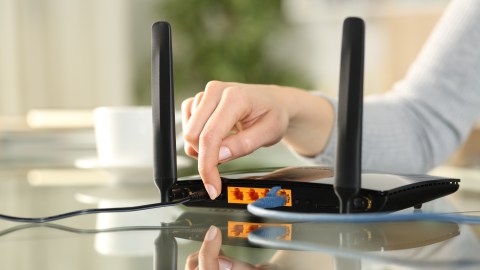
have a good WiFi signal at home not only depends on the standard connection of the routeror the quality of the device, but also of other factors linked to the technical. For example, the location and the objects that surround it become key to whether your website improves or fails.
With the contribution of experts, we tell you five real tricks to improve the web through the routerin addition to other methods that, although they go viral on social networks, are flatly false.
Read also: Quick trick to increase the speed of your website: it only takes 2 minutes
5 real tricks that do improve WiFi at home
1. Place the router in a central location
Place the router in the center of the home allows better distribution of the signal to all rooms. If placed in a corner, the coverage will be uneven.
2. Raise it off the ground
The signal spreads better from high positions. Placing it on a shelf or piece of furniture improves reach compared to leaving it on the floor.
3. Avoid obstacles and furniture
Thick walls, large furniture or metal surfaces They block or weaken the signal. That is why it is recommended to keep the router in open spaces.
4. Keep it away from electronic devices
Devices like microwaves or cordless phones They generate interference on the same frequency, affecting the connection. The same happens with mirrors, covering materials and excess electronics.
5. Use repeaters or change bands
If the signal does not reach the entire house, A WiFi repeater or switching between 2.4 GHz and 5 GHz can improve coverage and speed.
Combining these methods can significantly improve your home web experience, so try to apply them all, especially the first threes, so that your router puts out its maximum WiFi power.
And now… 5 false tricks or myths to improve WiFi
1. Put a coin on the router
This viral trick has no technical support. A coin is too small to affect WiFi waves and does not improve the signal.
2. Place aluminum foil
Although scientifically designed reflectors are available, using homemade aluminum foil does not guarantee real improvements and can cause interference.
3. Reboot the router constantly “out of habit”
Restarting it can help with specific failures, but doing it without reason does not improve speed or coverage permanently.
4. Put heavy objects on top of the router
Some people place books or decorations to “stabilize the signal.” Actually, this can block ventilation and affect performance.
5. Change the orientation without criteria
Moving antennas randomly does not guarantee improvements. The orientation must respond to the distribution of space, not to assumptions.
You may be interested in:
· How to know if my WhatsApp was cloned: 2 quick tricks
· What to do with an old router: 5 smart tricks to reuse it
· The trick to make your phone charge faster is not to turn it off


