
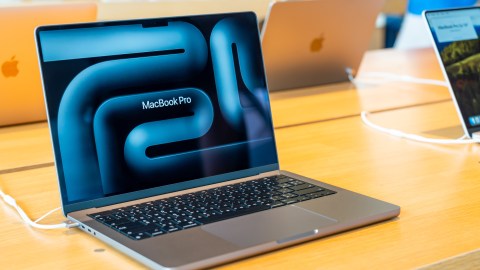
If you are thinking of buying one MacBooksurely you have already come across the big question that no one knows how to answer clearly: How much RAM do I really need? And here comes the first mistake that almost everyone makes — comparing the gigabytes of a Mac directly with those of a Windows PC. That’s like comparing apples to oranges, and in this case, literally.
Before you go to the Apple store to configure your next device, you need to understand something essential: macOS and Windows consume RAM in radically different ways. A 16GB Mac can outperform a 32GB PC in daily performance, and it’s not marketing — it’s architecture.
Why the RAM of a Mac is not the same as that of Windows
Here is the detail that changes everything. With the arrival of Apple Silicon chips (M1, M2, M3, M5 and now M5), Apple introduced what they call unified memory. This means that the CPU, GPU, and other system components share a single pool of ultra-high-speed memory, rather than having separate memories as is the case on most PCs.
On a Windows PC, the graphics card has its own VRAM and the processor has its own RAM. When they need to exchange data with each other, there is latency and loss of efficiency. On a Mac, that doesn’t happen — all components access the same memory bank, which drastically reduces waiting times.
Additionally, macOS uses a system of smart memory compression– When RAM starts to fill, the system compresses the data instead of moving it to disk (called swap or paging). Windows also swaps, but much more aggressively and with a greater impact on performance. The practical result is simple: 8 GB of unified memory on a Mac is roughly equivalent to 12 GB of conventional RAM on Windows. So yes, you are getting more than the number indicates.
macOS also has a technology called App Napwhich automatically lowers the resource consumption of background apps, freeing up memory for what you’re actually using at that moment. None of this exists out of the box in Windows.
How much RAM do you need depending on your MacBook?
Now, let’s get to the point. The answer depends on which MacBook model you choose and what you are going to use it for.
MacBook Air M5 — This equipment starts with 16 GB of unified memory and it is configurable up to 24 GB or 32 GB. MacBook Air is designed for users who need portability and solid performance for everyday tasks.
- 16 GB– Perfect for students, journalists, social media users, heavy web browsing, streaming, spreadsheets, and light photo or short video editing.
- 24GB– Recommended if you work with multiple apps open for hours at a time, occasionally edit videos, or use design tools like Figma or Lightroom.
- 32 GB on an Air: Honestly, it’s money you probably won’t need on this model. If your workflow requires that much, it’s best to jump straight to a MacBook Expert.
MacBook Expert M5 —Here the story changes. The infamous Expert starts in 16 GB or 24 GB of unified memoryconfigurable up to 32 GB. And if you go to the M5 Expert chip, the starting point goes up to 24 GB with option of up to forty eight GB.
- 16-24 GB on MacBook Expert M5 infamous– Perfect for gadget developers, video editors working in Elephantine HD or light 4K resolution, professional graphic designers, and technology journalists with demanding workflows.
- 24-forty eight GB on MacBook Expert M5 Expert: the ultimate point for serious creatives. 4K and 8K video editing, 3D animation, complex application development, professional music production. Today’s 24 GB is equivalent to what 16 GB was four years ago.
- 64 GB or more on MacBook Expert M5 Max: This territory is for machine learning, professional rendering, working with local AI models, or film production. If you don’t know if you need it, you probably don’t need it.
Closing recommendation according to your user profile
To avoid leaving you in doubt, here is the quick and direct guide:
- Informal user (web, networks, Office, streaming): MacBook Air-con 16 GB — you don’t need anything else, the system manages it wonderfully.
- Creative or moderate technical professional: MacBook Expert M5 with 24 GB — the sweet spot between price and actual performance.
- Advanced creative or serious developer: MacBook Expert M5 Expert with 24 or 36 GB — here you don’t want to fall short in two years.
- High performance professional (AI, film, engineering): MacBook Expert M5 Max with forty eight GB or more — this is your tool, without compromises.
One last thing: Unlike many Windows laptops, the RAM on a MacBook is not upgradeable after purchase. It is soldered to the infamous plate. So if you have doubts between two options, go up a level — your future self will thank you.
Keep reading:
• MacBook Expert M5 Expert and M5 Max: Apple redefines the top of the range with raw power
• Apple launches the new MacBook Air-with M5: more power, more storage and a design that continues to fall in love
• MacBook Neo, Air M5 or Expert M5: which one is best for you in 2026?


